
HirePOS AI Assistant
The HirePOS AI Assistant helps you quickly find features, learn how to complete tasks, and navigate the system using simple, natural language questions.
Instead of searching through menus, you can ask the AI Assistant what you want to do — and it will guide you to the right place or provide step-by-step help.
What is the AI Assistant?
The AI Assistant is a smart search and help tool built into HirePOS. It understands everyday questions and returns relevant pages, actions, and help content.
For example, you can ask:
“How do I change item prices?”
“Where do I add a new customer?”
“How do I create an invoice?”
The assistant will then point you to the correct area in HirePOS and provide helpful guidance.
What can I ask it?
You can use the AI Assistant to:
Find pages or features in HirePOS
Learn how to complete tasks
Get step-by-step instructions
Discover where settings are located
It works best with clear, task-based questions.
How to use the AI Assistant
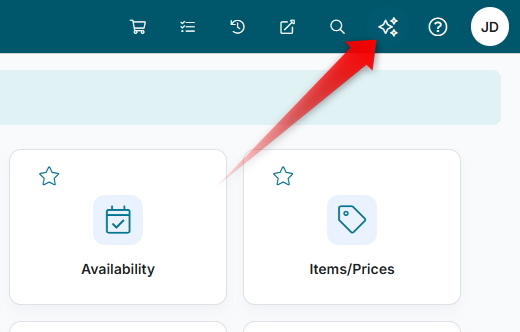
Open the AI Assistant via the sparkles icon located at the top-right
Type your question using natural language
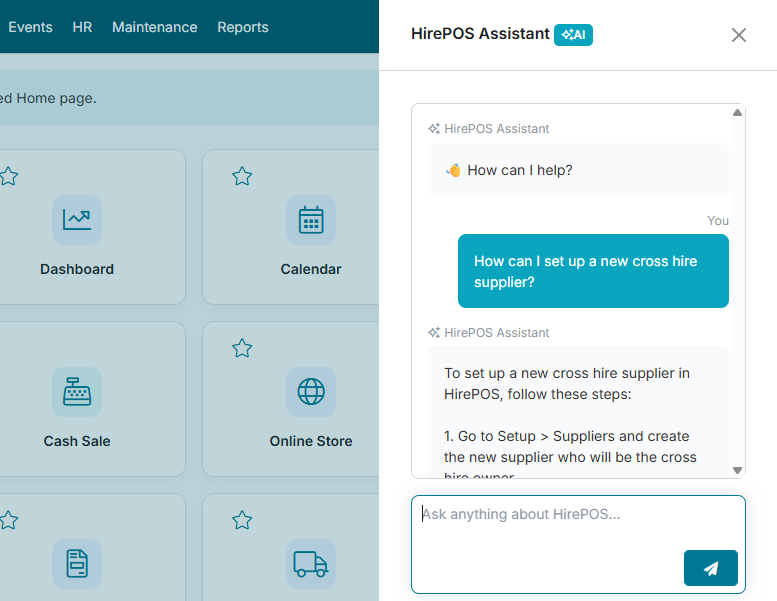
Review the suggested results or guidance
Click on a result to navigate directly to the relevant page
Conversation options
At the top of the AI Assistant, you can also use the following options:
Conversation History — View and reopen your previous AI Assistant conversations.
Start New Conversation — Start a new conversation without continuing the current discussion.
Launch in New Tab — Open the AI Assistant in a separate browser tab for a larger, dedicated view.
Example questions
Here are some examples to get you started:
How do I add a new customer?
Where can I update pricing?
How do I create a hire agreement?
How do I apply a discount to an invoice?
Where are my reports?
Tips for better results
Ask full questions rather than single keywords
Be specific about what you want to do
Include key details (e.g. “invoice”, “customer”, “pricing”)
For example:
Instead of “price”, try “How do I change item prices?”
Submitting Feedback
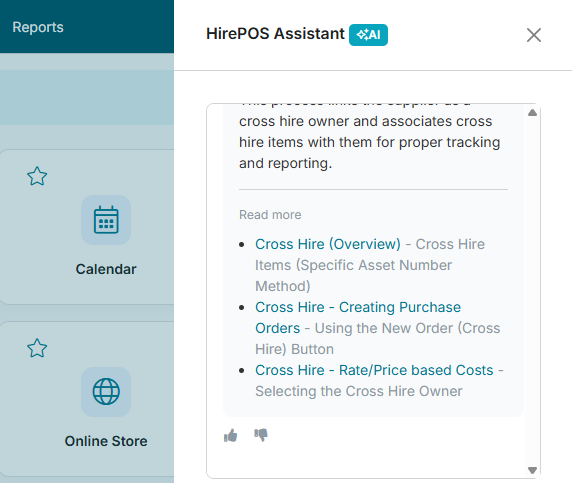
After receiving a response from the AI Assistant, you can provide feedback using the thumbs up or thumbs down buttons.
Thumbs up — Indicates that the response was satisfactory and met your needs.
Thumbs down — Indicates that the response could be improved. You’ll be prompted to select a reason for the feedback:
Incorrect
Not relevant
Too vague
Missing details
Other
Message — A field to provide more specific feedback details. This field must be populated in order to submit the feedback.
When providing additional details, be as precise as possible. Clear, specific feedback helps identify what could be improved in the response.